
Overview
-
The initial idea was to come up with a new UI label and name it accordingly. Since it is the entry point into the data movement for different products.
However, as we moved ahead, the label naming started to prove particularly difficult due to a variety of factors. We had to pivot quickly and come up with a plan to deliver.
-
The feature was planned to be released to users in two phases:
Phase 1: Early Access Program
Phase 2: Beta/General Availability based on completeness of the gathered data.
-
ff
The ‘pulling our hair out’ moment
As we moved ahead, the label naming started to prove particularly difficult due to a variety of factors. This feature’s only job is to facilitate a process, and the simplest way to describe a process is to use a verb.
Naming the feature right meant that we break the naming rules and use a verb-first name. We needed to step back and weigh our options carefully.
Testing
What started as a naming of a UI label, soon became about rethinking our original IA plan. I worked closely with my product designer to come up with how else we can break the IA to:
keep a verb-first label name
follow the Atlassian naming requirement to maintain AH consistency
avoid cluttering the left navigation for better findability and ease of use
Round 1
I conducted a brainstorming session with my product designer and Atlassian Admin designers to figure out possible options. We came up with:
new grouping plan for similar portability features
new L3 category to accommodate the “copy product data” and similar features
I came up with two options to place the label in Admin Hub. We have introduced a new category on the left nav which will house all org level portability features. This solves the verb-first problem of a left nav menu item. We presented this proposal to the Admin Hub experience stakeholders along with fellow designers from related products.
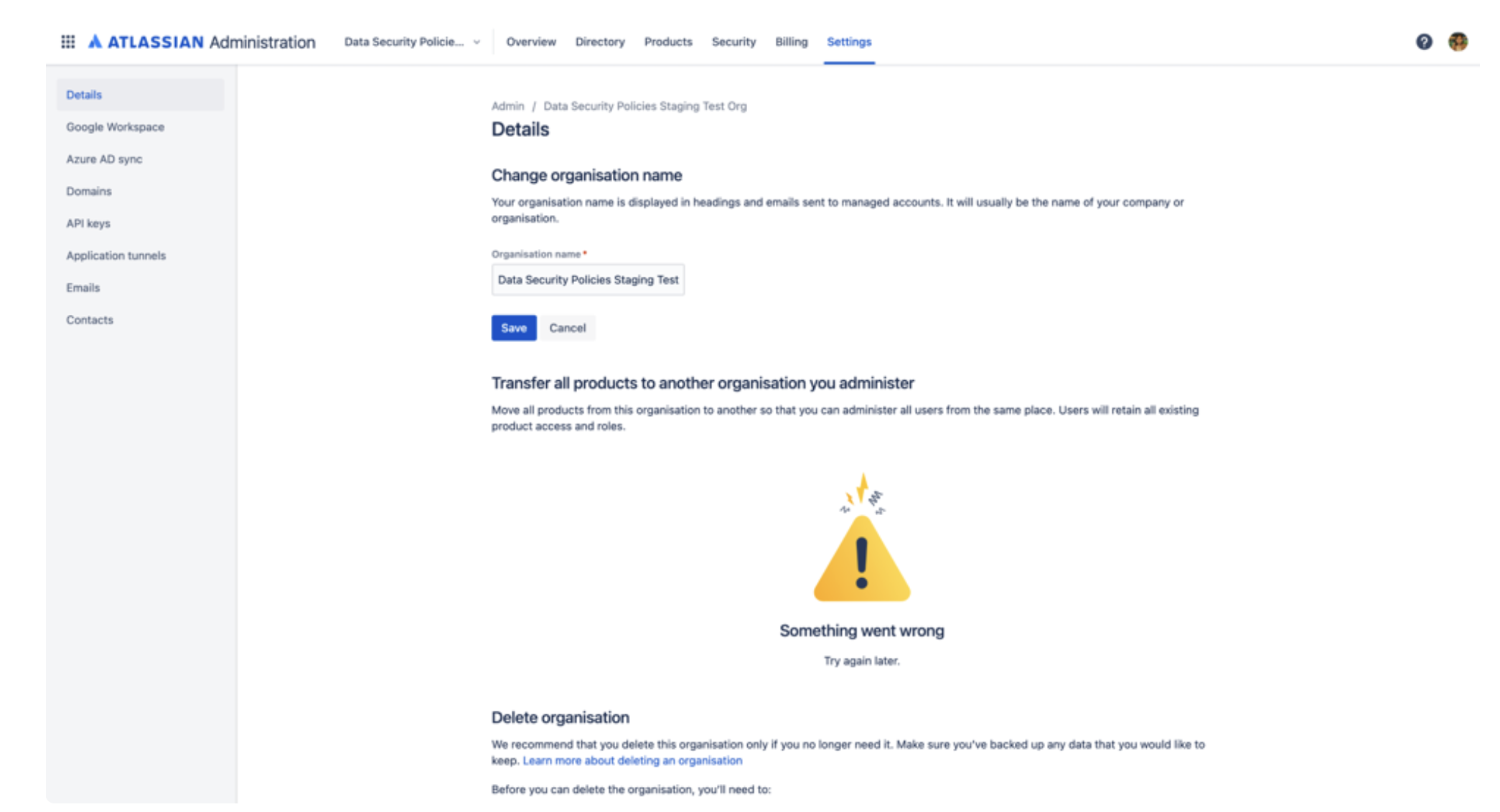
Current state
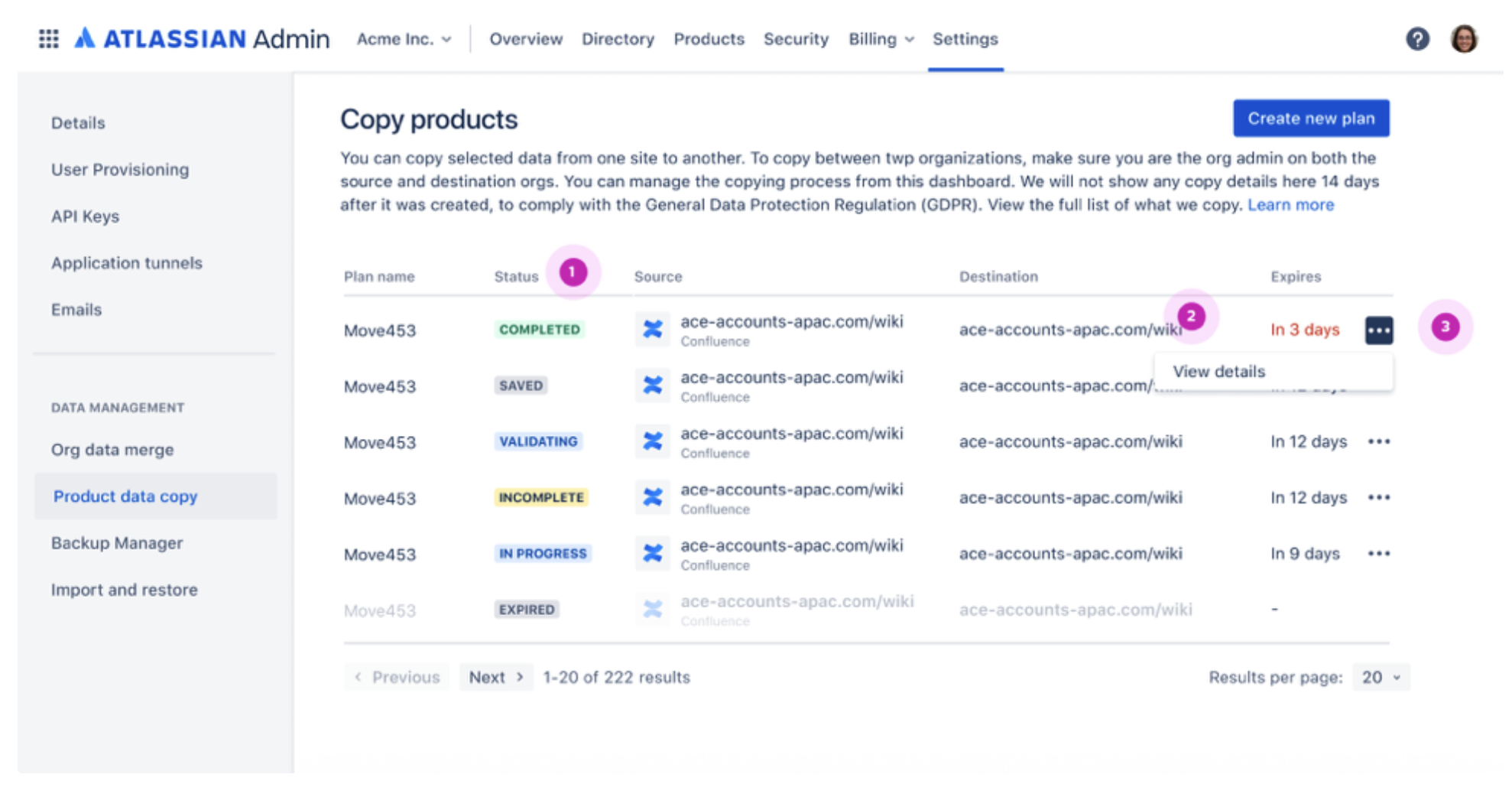
Option 1
[Data management] is a new category that consists of org level portability features. The first feature to come into this is [Copy product data] followed by the others in the coming few quarters.
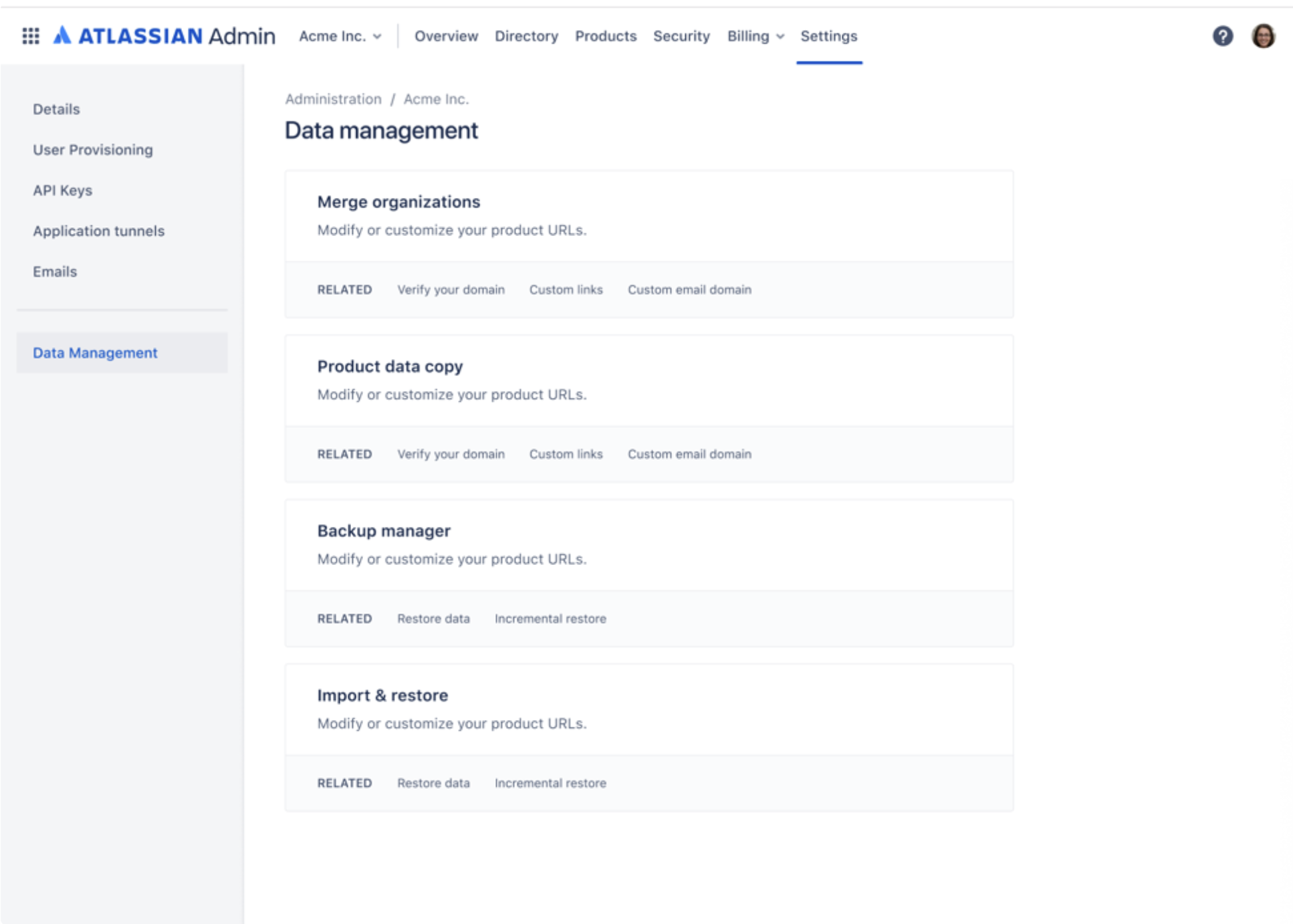
Option 2
Data management] is a new Level 2 label that consists of org level portability features. We can have its attributes (data copy, org merge, etc) at Level 3. The first feature to come into this is [Copy product data] followed by the others in the coming quarters.
Peer review analysis
There was a unanimous vote for option 2. Following are the key points that were highlighted in the review by Atlassian Admin experience stakeholders and fellow designers and engineering team.
Having an overview of the 3rd-level nav options will make space for more such features that aren’t part of a regular admin process, but hold high impact. Data is the object that is being actioned. The screen then provides all the actions you can take on data (copy, merge, backup, restore, etc from Atlassian Admin).
Noun vs verb
I don’t think the noun form is as clear for this specific situation (or any other transient process).
”Copy product data” is clear and action-oriented - if a user selects this option, they’ll be able to do an action that duplicates some data.
“Product data copy” isn’t very clear (despite being the best of the noun options). Is it the place user gets the copies that have been made elsewhere? The cognitive load is higher. When we treat it as a noun it becomes “I want to make a product data copy” rather than “I want to copy some data”
Option 2 allows us to go all in on verb-first, active language, under the banner of “Data management” or “Product data”.
Frequent vs infrequent actions
The grouping of related actions is already something that is coming up in admin hub nav conversations (should all policies be together, should all compliance controls be together), and I think how frequent the action is likely to be matters here. Is it set and forget? Is it a daily or weekly action?
Will three clicks feel too effortful for the action the admin wants to perform? Or does the less cluttered L2 nav help them find what they’re looking for faster, because they’re visually scanning fewer items?
When deciding this, we should think about the intended use cases for the feature, but also the unintended ones (right away I can see some customers wanting to use this to create the perfect templated product instances that they can copy to create a new instance).
Entry points into the feature
This is related to the noun v verb consideration. This specific feature is very product instance specific. You are taking a container entity from one product and copying it to another.
If we think copying product data is going to be a frequent or highly repeated activity, we should also explore making it available in the Products quick nav. These quick actions should be action-oriented, and I think it would be jarring to use significantly different labels in each place.
Currently, there is no place for an org or product profile page. Since these features are mostly regarding product data portability but may be outside the scope of product data in some scenarios (eg: backup org, import orgs or import multiple products, merge orgs, etc) Hence, in the current IA, we believe org settings is the most suited place.
Scalability and future-proofing
This feature will facilitate data movement for multiple products in the future - some that have not yet been planned too. The name should hold true in this context. Also, with Atlassian Admin’s changing navigation and grouping rules, we needed to ensure that the name and the place of the label could withstand structural and architecture changes.
Implementation challenges
A new L2 and L3 categorization meant that we needed to design and code more screens - increased design and engineering bandwidth requirement. With short delivery timeline and moving company goals, I came up with a plan to deliver the feature in two phases.
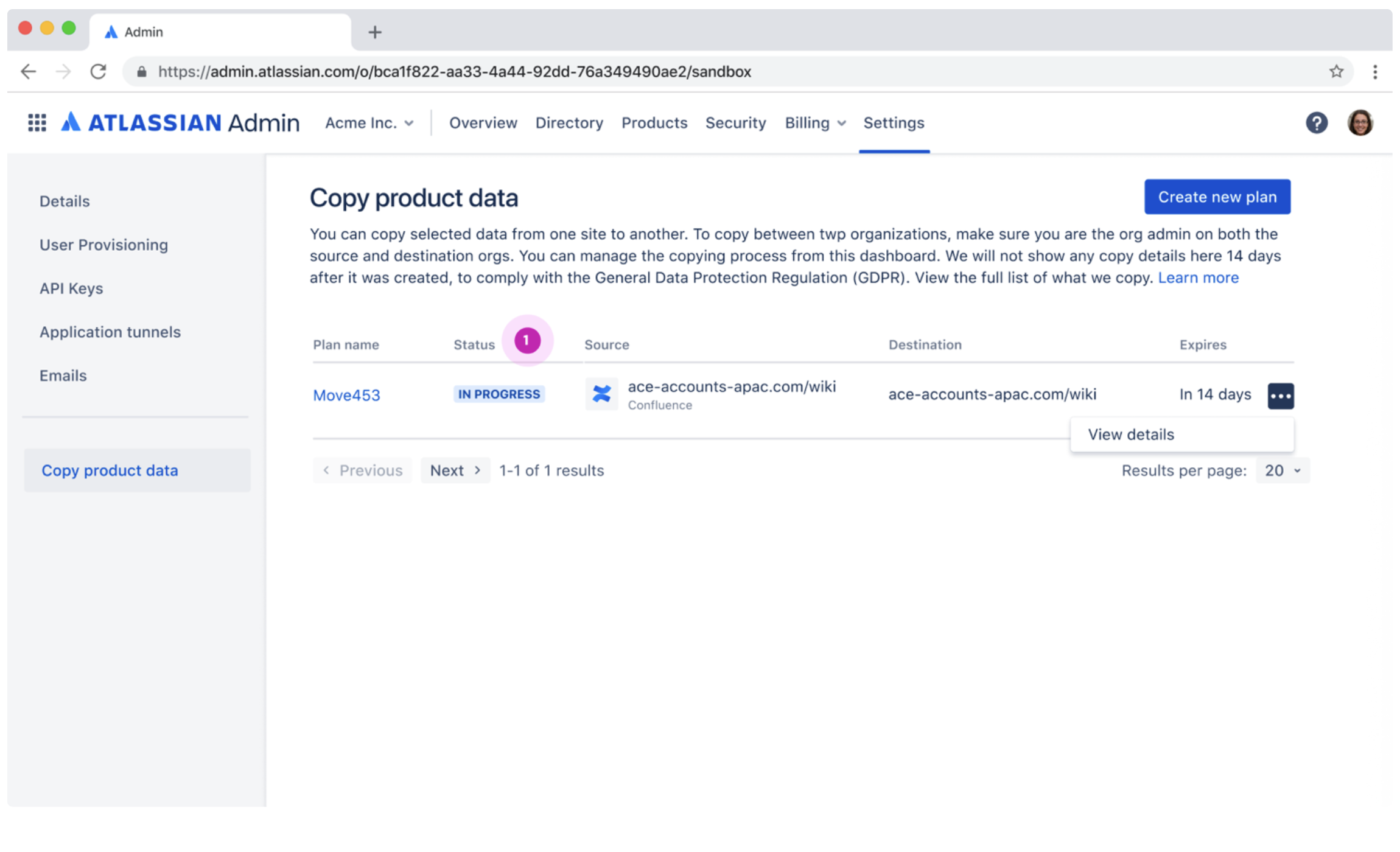
Phase 1
EAP (Enabled for 10 chosen customers). We proposed to go ahead with having Copy product data at L2 under Org settings, even though it does not fully align with Atlassian Admin guidelines.
Our goal is to get to EAP faster. This will also work as a usability test for us to see how users are reacting to the new feature.
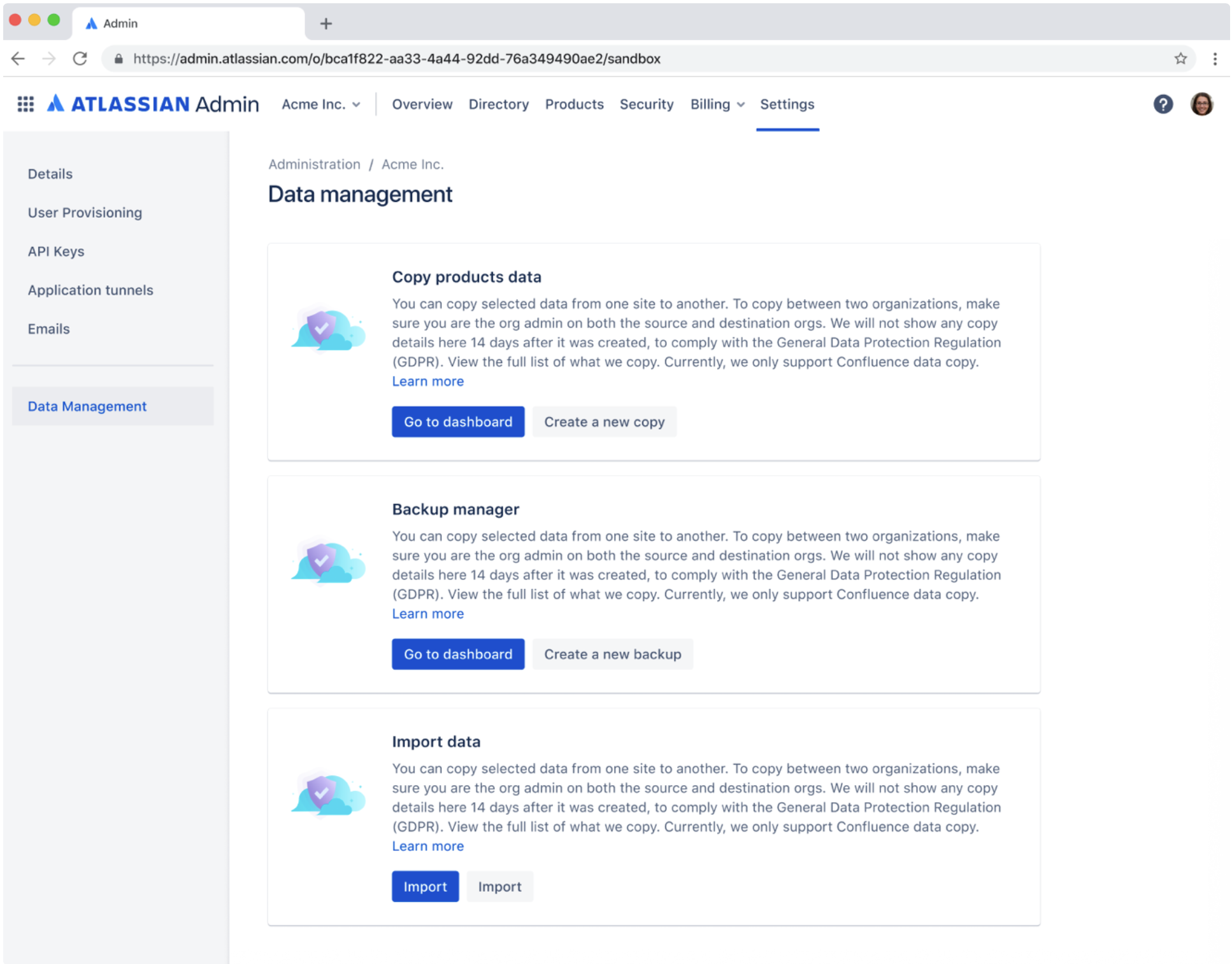
Phase 2
General Availability (GA). When the experience opens to a larger customer base in Beta/GA, we will implement the chosen option 2 from the peer review phase. By this time, the Data Management category would have 2-3 features that will be in EAP.