Designing a scalable beta onboarding experience at Adobe
Context
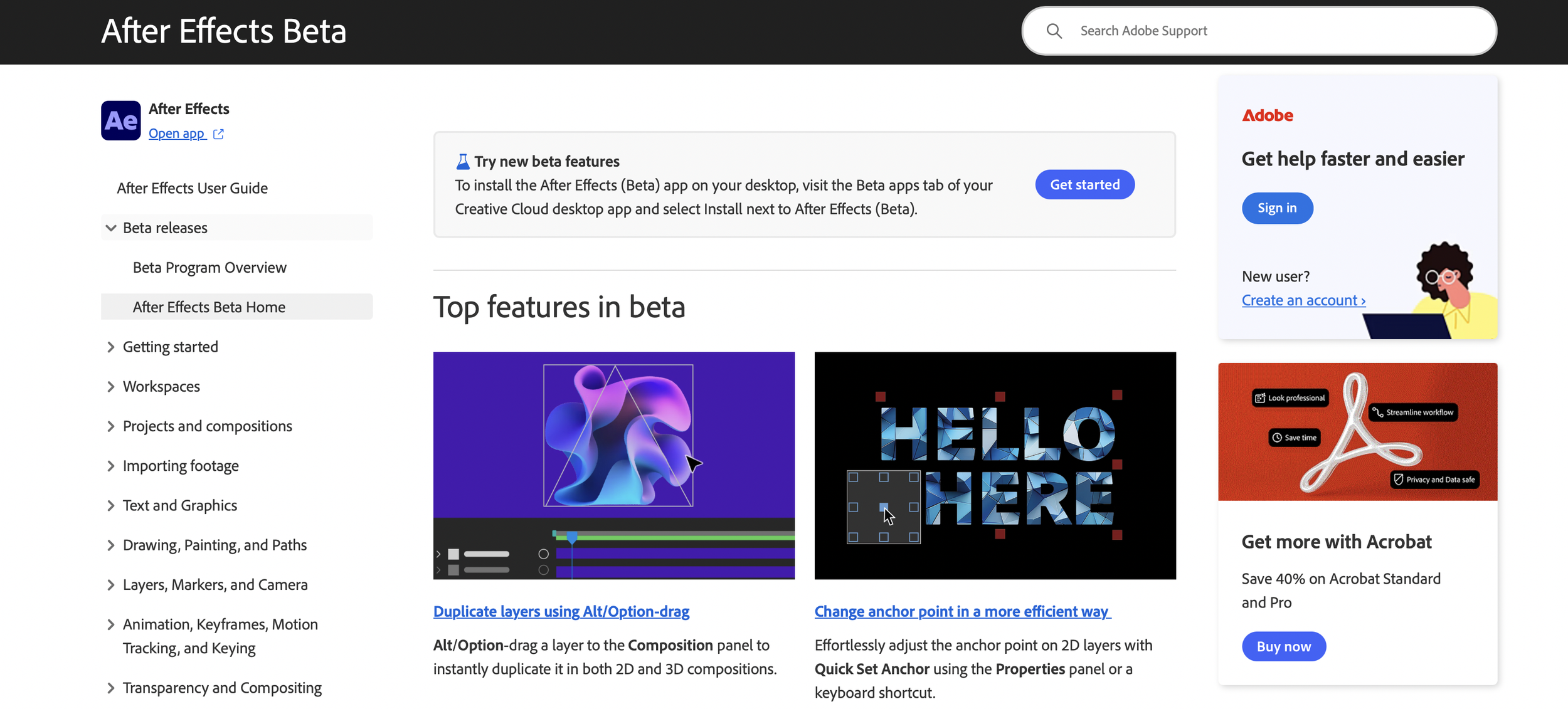
At Adobe, I led the design and introduction of a dedicated Beta knowledge base within Adobe Help documentation to support onboarding, discovery, and feedback for Beta products across Creative Cloud.
Before this work, Beta information was scattered across forums, release notes, and isolated help pages, making it difficult for users to understand what the Beta program offered, how to participate, and how their data and feedback were used.
This case study focuses on how I designed a scalable content framework for Beta experiences, defining the narrative structure, information architecture, and visual system for a new category of documentation that was later adopted across multiple Adobe cloud products.
The Beta section became a separate entry point in Adobe Help, was referenced directly from within Beta products, and is accessed by millions of users globally.
Problem statement
As Adobe expanded its Beta offerings across products, users faced fundamental gaps in understanding:
What the Beta program was and how it differed from public releases
How to join or leave the program
How usage data and feedback were collected
Where to find reliable, first-hand information about Beta features
How to submit feedback and feature requests
This resulted in:
High reliance on help documentation and release notes
41% of users exiting to Contact Us pages from Help docs
A 15% increase in support call volume related to Beta
Confusion and unrest in pre-release community forums
Lower-than-expected new user enrolment in the Beta program
Internally, there was also no standardized way to represent Beta experiences across products. Each team documented Beta differently, leading to fragmented user experiences and inconsistent messaging.
My role
I was the Content Designer leading the creation of the Beta design framework.
I owned:
I owned the end-to-end design of the Beta knowledge base, including:
Defining the narrative structure and entry point for Beta experiences
Designing the information architecture and page hierarchy
Establishing content requirements and success criteria
Creating the layout and component structure for the Beta section
Partnering with graphic designers to design accessible visual patterns
Writing and iterating the core UX copy and FAQs
Driving internal alignment across product, support, and content teams
I worked closely with:
UX designers
Content strategists
Product analytics teams
Support and community teams
Graphic designers and localization teams
Impact
This framework was:
launched as a dedicated Beta section in Adobe Help
linked directly from within Beta products
designed to scale across multiple cloud products
adopted as a reusable model by other Adobe product teams
I led the design of a platform-level content system for how Beta experiences are explained, discovered, and supported across Adobe.
Read the full case study
This PDF is a detailed, research-led walkthrough of a platform-level content system I designed at Adobe for Beta products.
The format reflects the scale and complexity of the work, and includes research synthesis, information architecture decisions, narrative structure, and internal iteration.
I recommend reading this as a system design case study, with a focus on how content architecture and storytelling were used to support onboarding, discovery, and feedback at enterprise scale.